
We’re rolling out an updated navigation menu in the Sam360 portal over the next couple of days. One menu on the left brings every section and page together, replacing the tabs along the top.
Your data, reports and permissions won’t change. Your bookmarks and links will keep working, and there’s nothing you need to do.
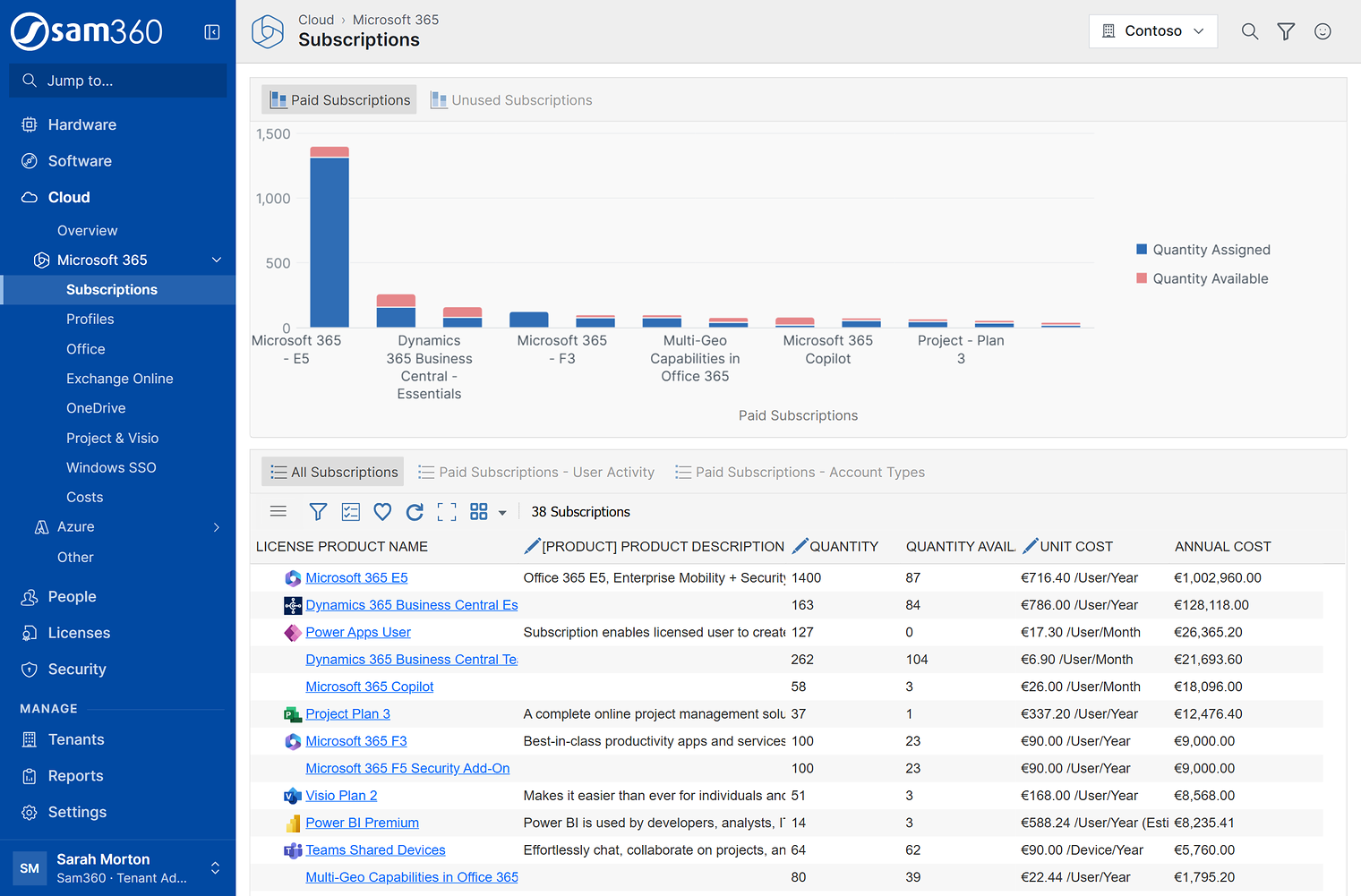 The updated menu brings every section together. The top bar shows where you are and stays in place as you scroll.
What’s changing
Hardware, Software, Cloud, People, Licenses and Security sit in the left menu, with Tenants, Reports and Settings under Manage. Related pages are grouped under Hardware › Computers, Software › Product Titles, Cloud › Microsoft 365 and Cloud › Azure.
Find a page quickly
Jump to filters the menu as you type part of a page’s name. Press Enter to open the first match.
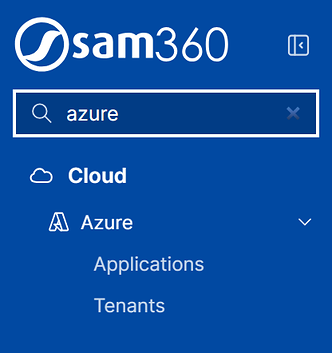
Jump to, filtering the menu for Azure pages.
More space for your reports
Collapse the menu with the button beside the logo, then point to or tap a section icon to see its pages.
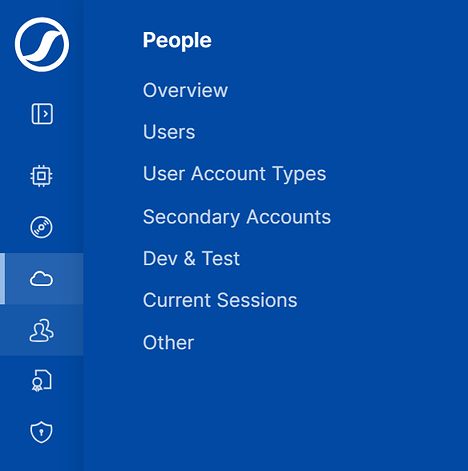
The collapsed menu, with the People section open.
Your location and actions in the top bar
The top bar shows your current location and, on a detail page, the item’s name and its menu of actions. Search, Filter all reports and Send feedback are at the top right. Account and Log out are under your name.
 The item’s name and actions are together in the top bar.
Where pages are moving
Most pages keep their names. These are the main changes to their location:
| Previous location | Updated location |
|---|---|
| Hardware › Computers, Virtualisation, Scan Status, Agent Status, Warranty Summary | Hardware › Computers › the same pages, with Computers renamed Overview |
| Hardware › RDS Servers | Hardware › Remote Apps & Desktops |
| Software › Windows Server, Windows, SQL Server, Exchange Server, Office | Software › Product Titles › the same pages |
| Cloud › Subscriptions, Profiles, Office, Exchange Online, OneDrive, Project & Visio, Costs, Windows SSO | Cloud › Microsoft 365 › the same pages |
| Cloud › Azure Applications, Azure Tenants | Cloud › Azure › Applications, Tenants |
Quicker tenant switching
If you manage client tenants, the tenant selector at the top right now includes a filter to help you find a tenant quickly. Switching keeps you on the same page where possible; Ctrl+click opens the tenant in a new tab.
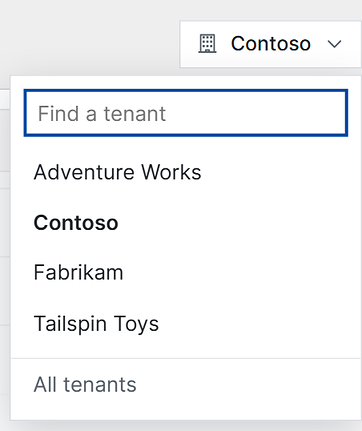
Find and switch tenants from the top right of the portal.
The list includes your own tenant, your active clients and Contoso, Sam360’s demo tenant. All tenants opens Tenants › Tenants.
Send feedback from any page
The smiley at the top right lets you report a problem, share an idea or ask a question directly with the Sam360 product team.
The form includes a screenshot of the page you’re on, with tools to highlight an area, add a note or blur anything private. You can include page and browser details to help us reproduce a problem, and request an email reply.
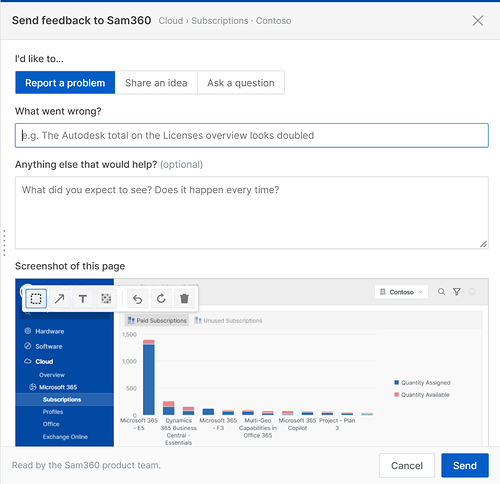
Send feedback with a screenshot you can highlight, annotate or blur.
We’d like to hear what you think of the updated menu. Send feedback from the portal, or email support@sam360.com.